
CARL — Content Automation Ranking Launchpad Pricing
The website builder WordPress was supposed to be, before it got complicated.
You know the feeling. You wanted a website. You got a second job.
Plugin updates that break things. Security patches you can't skip. A hosting bill that keeps creeping up because WordPress needs more resources just to stay functional. A cache plugin to fix the speed problem. A security plugin to fix the vulnerability problem. A backup plugin because something is always about to go wrong. An SEO plugin. A membership plugin. An affiliate plugin. Each one solving a problem WordPress created. Each one sending you an invoice every January.
And underneath all of it, a nagging feeling you can't quite shake: none of this is actually yours.
I know that feeling because I lived it for years. Then in 2017, one carousel plugin my daughter installed for a university project wiped out 18 of my professional websites in a single afternoon. One plugin, one vulnerability, eighteen sites gone and a Cease and Desist from my registrar in my inbox before the day was out.
I deleted everything, booked a flight to the Netherlands, and spent two weeks deciding what I would do differently.
Before You Buy Any Website Tool, Ask These 11 Questions.
When I came back from that trip, I had a list. These were the things I needed any new platform to answer honestly before I'd trust it with my work. I've never found a platform that answers all 11 well.
CARL was built to answer all 11. Here they are, and here's how CARL handles each one.
1. Who actually owns the files? If the platform disappeared tomorrow, would your site survive?
With WordPress, Squarespace, Ghost, or any hosted platform: probably not. Your content lives inside their system, formatted their way, dependent on their infrastructure to display correctly.
With CARL, when you publish a page, CARL builds a finished PHP file and saves it directly to your server. That file is independent of CARL. Delete the admin panel tomorrow and every page you've ever published keeps serving visitors perfectly. No platform holds your content hostage. No subscription keeps your site alive.
This also makes CARL genuinely useful for freelancers and agency builders. Build a client's site, hand it over, remove the admin files, and walk away clean. The site runs forever with zero dependency on you, zero maintenance obligation, and zero 11pm calls because a plugin licence expired.
WordPress can't say that. Squarespace can't say that. No other website builder can say that, because none of them write real files to your server.
2. What's the real annual cost? Include every plugin, every subscription, every renewal.
WordPress is free to install. Then they sell you the tools to make it functional.
By the time a WordPress site does everything a real content business needs, you're paying £500 to £1,000 a year in plugin subscriptions. On top of your hosting. Every year. The SEO plugin. The cache plugin. The security plugin. The membership plugin. The affiliate tracker. The form builder. The image optimiser. Each one with its own pricing page, its own renewal date, and its own release notes you're responsible for reading.
CARL is a one-time license. Every feature described in this page is included. There are no add-ons, no tiers, no annual renewals.
3. How fast does it load? Speed isn't a vanity metric. Google measures it and so do your visitors.
WordPress builds your page from scratch on every single visit. The server queries the database, loads the plugins, assembles the HTML, and sends it to the browser. This takes time, creates overhead, and gives visitors a reason to leave before the page finishes loading.
CARL builds the page once, when you publish it, and saves the finished result to your server. When a visitor arrives, they get that ready-made file instantly. No assembly required. CARL sites load faster than WordPress on identical hardware. Often dramatically faster, with no caching plugins needed to get there.
4. What's the attack surface? Every plugin you install is a door someone else controls.
In December 2017, a security firm called Wordfence documented a plugin with over 300,000 active installs being sold to a new owner, who immediately pushed an update through the official WordPress repository containing a backdoor. Site owners installed it thinking they were patching a vulnerability. They were opening one.
This isn't a fringe scenario. It's a documented business model. A developer builds a useful free plugin, grows it to tens of thousands of installs, then sells it to someone who uses that installed base as an attack surface.
CARL has no plugins. There's no ecosystem of third-party code, no update pipeline from developers you've never met, no acquisition targets sitting inside your website. Every line of code in CARL was written by one person and is under direct, ongoing control. And because there's no active CMS machinery running on the front end of your live site, there's almost nothing for an attacker to query, inject into, or exploit.
5. Do you own your subscriber, member, and affiliate data from day one?
With most platforms, your email list lives in their system. Your member accounts live in their database. Your affiliate click data, if they track it at all, lives in a third-party plugin's records. You own it in theory. In practice, you're a tenant.
With CARL, every subscriber hits your own database the moment they sign up, before the data goes anywhere else. Every member account lives on your server. Every affiliate click is logged in your own database with full attribution. You own all of it from the first record, not after you export it from someone else's platform.
6. Does it handle content, members, affiliates, and email without third-party tools?
CARL includes everything in a single license.
AI-powered SEO. Before you publish, CARL's AI reads your full article and generates all the technical SEO code your page needs: schema markup, social sharing tags, page descriptions, canonical URLs. One click. Ten seconds. Done. Your SEO plugin fills in templates. CARL actually reads your content.
Members area. Free and premium content tiers, session management, subscriber linking, approval mode. MemberPress charges $179/year. CARL includes it.
Affiliate link tracking. Every click recorded with the source page, traffic origin, geographic location, and UTM data. Change a destination URL once and it updates across your entire site instantly. Pretty Links charges $99/year. CARL includes it.
Email list building. Every signup saved to your own database first, then synced to Kit. If the sync fails, the subscriber is still in your database with a one-click retry.
Scheduled publishing. Set a date and time, save your draft, walk away. CARL publishes at the exact moment you specified and pings Google's sitemap automatically.
Plus a CTA button builder, an image manager with automatic compression, an AI image generator for featured images, full site search, RSS feed, sitemap, and a feedback system. All built in. All included.
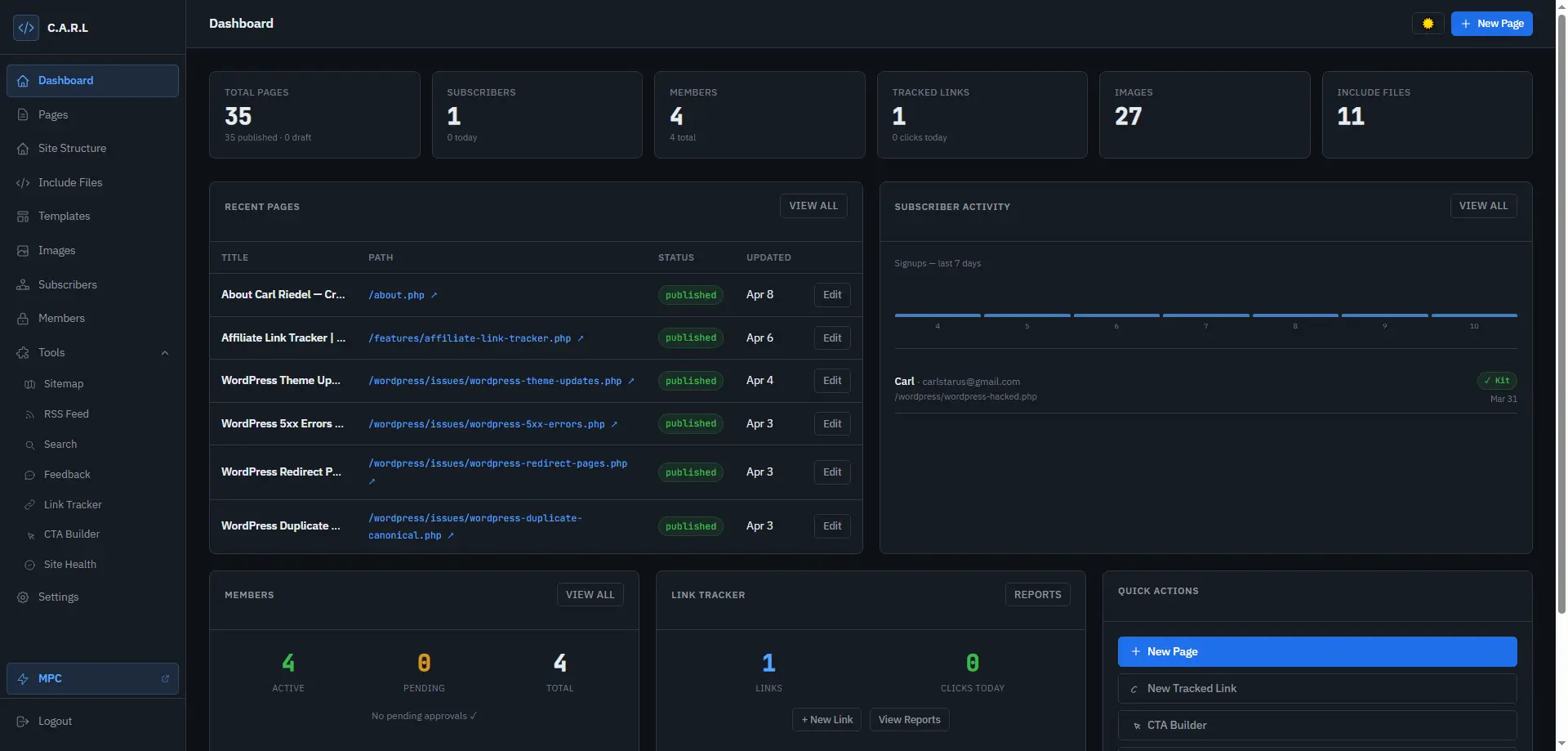
The WordPress dashboard shows you WordPress news. The CARL dashboard shows you what needs doing on your site.
7. How much real SEO control do you have? Schema, canonicals, sitemaps, OG tags, all of it.
Most platforms abstract SEO into a plugin and call it a feature. You get a field for a meta description and a traffic light. What you don't get is meaningful control over how Google actually reads and categorises your pages.
CARL gives you direct control over every SEO element: schema type, canonical URL, Open Graph fields, Twitter card settings, meta description, date published, and author data. The AI Schema Generator reads your full article and writes complete, accurate schema markup that reflects what your page is genuinely about. And every time you publish, CARL notifies Google's sitemap automatically.
After you publish, CARL's built-in Site Health tool reads the actual generated files on your server, exactly what the browser sees, and checks that everything landed correctly: meta tags, headings, canonical URLs, schema, broken links. Most SEO tools check your dashboard settings. CARL checks the real page. They're not the same thing.
8. Can you hand a finished site to a client and walk away clean?
If you build sites for clients, this question determines whether you're selling a product or signing up for an indefinite maintenance contract.
With WordPress, you're entangled. Plugin updates, security patches, compatibility issues, hosting configurations: all of it remains your problem unless you explicitly contract otherwise, and even then it remains your reputation when something breaks.
With CARL, you build the site, generate the pages, hand over the files, and remove the admin. The site runs on its own. Clean files on a server. Nothing to break, nothing to update, nothing that calls you at 11pm. Your client gets a finished product. You get a clean exit.
9. Is it built for people who have something to say, or for people flooding the internet with filler?
CARL doesn't have an AI bulk-writing button. If the plan is to generate hundreds of pages of thin content and hope Google doesn't notice, this isn't the right tool. (Google has noticed. It's been systematically removing exactly that kind of content since 2023.)
CARL is built for sites that are worth ranking. The AI features help you optimise and present your content. They don't replace the thinking that makes content worth reading in the first place.
Write wherever you think best. Google Docs, Notion, Claude, a text file, a cocktail napkin. CARL has a dedicated one-click HTML paste button that brings formatted content in cleanly, preserving your headings, lists, links, and layout exactly as you wrote them. The editor is there when you want it, not a cage.
10. If you move hosts tomorrow, how painful is it?
WordPress migrations are a known ordeal: database exports, serialized strings, broken URLs, plugins that behave differently on a new server, a weekend of your life minimum.
Migrating a CARL site means moving files and pointing a domain. That's it. Your content is in a standard database and your pages are standard PHP files. There's nothing proprietary holding you to a specific host or configuration.
11. Are you locked into someone else's design decisions, or can you build it to look exactly the way you want?
Every mainstream website builder locks you into their template system. You get what they give you, styled the way they style it, with their design decisions baked into your website. Want something different? Buy a premium theme. Want something truly different? Hire a developer and budget accordingly.
CARL works the other way around. Templates in CARL are standard HTML files. Any free template you find online, any Bootstrap layout from BootstrapMade or ThemeForest, any design you've built yourself or bought from a marketplace: bring it into CARL, mark the spots where your content, header, navigation, and sidebar go, and CARL treats it as a native template from that point forward.
The way it works is through include files. Your header, navigation, footer, sidebar, signup forms, and any other repeated element each live in their own simple text file. You create them once, reference them in your template, and every page that uses that template pulls them in live at the moment a visitor loads the page. Change your navigation, update your sidebar, swap out a signup form: the change is live across your entire site the instant you save the file. No regenerating pages. No batch updates. Just edit the file and it's done.
This means the entire catalogue of free and commercial HTML templates on the web is compatible with CARL. It also means that if you already know HTML, you're not learning someone else's system. You're working in a language you already speak, with a CMS that stays out of your way.
(For the developers and designers who've been hand-coding sites for years and quietly resenting every hour of it: your skills, your templates, your design, now running on an automated publishing system instead of a manual one.)
How CARL Got Built
I looked at every alternative after losing those 18 sites. Nothing solved the real problem. Every platform puts itself between you and your content.
So I went back to basics. Before CARL existed, I was building sites the way developers used to before WordPress made everyone forget how: writing PHP files by hand, uploading them to a server, managing everything manually through a local environment on my own machine. No plugins. No CMS overhead. Just files on a server serving pages to visitors.
It worked beautifully. The sites were fast, clean, and genuinely mine. The problem was that updating them was slow enough to be painful. The more sites I ran, the worse that got. Every edit meant touching the file, regenerating, re-uploading. It was the right architecture and the wrong workflow.
So I built CARL to fix the workflow without changing the architecture. CARL handles the file generation, the database, the publishing, the SEO, the membership logic: all the mechanical work I was doing by hand. The approach was already proven. CARL just made it something a human being could actually sustain.
(If you've ever built a site manually in HTML or PHP and quietly thought "this is the right way to do it, I just can't keep up with it" — CARL was built for you too.)
Who CARL Is For
Content publishers who want fast pages, clean SEO, and data they genuinely own.
Affiliate marketers who need click tracking and attribution built in from the start.
Membership site builders who want free and premium tiers without a $179/year plugin.
Freelancers and agency builders who want to hand clients a finished product, not a maintenance dependency.
People who've been burned by WordPress and are done being burned.
Who CARL Is Not For
CARL runs on standard cPanel shared hosting and requires minimal setup: uploading files, filling in a config file with your database details, and running an installer. Every step is documented in plain English, and you don't need to write any code. But if copying a database name into a settings file feels like too much, CARL probably isn't the right fit yet.
And if your plan involves bulk-generating AI content at scale, CARL isn't built for that. It's built for sites that earn their rankings.
Pricing
Lifetime License — £527.46
Pay once. Unlimited domains, full feature set, all future standard updates, email support. Yours forever, no renewals.
12-Month Plan — £53.95/month
12 payments of £53.95, no interest. Same lifetime license at the end. Total: £527.46.
If you're currently paying £500+ a year in WordPress plugin subscriptions, the lifetime license pays for itself before year one is out. If you've been hacked, you already know that math doesn't capture the full cost.
What's Included With Your Purchase
CARL CMS (PHP 8.3, works on standard cPanel shared hosting), ready to install on your own hosting account.
Complete User's Guide covering every step from installation to advanced use, written in plain English. No assumed knowledge, no skipped steps.
Complete Build Guide with full technical system reference for anyone who wants to understand what is running under the hood.
Free account in the CARL members area for ongoing updates, support, and access to the growing content library.
Video walkthroughs and advanced guides are in production and being added to the members' area as they are completed. Everything that exists today is included with your license. Everything added after your purchase is included too, at no extra cost.
I built CARL because I got tired of losing things I'd worked hard to build. Eighteen sites in one afternoon has a way of clarifying your priorities.
Since I switched, I've never had a client site hacked. Never spent a Saturday cleaning malware. Never opened a January invoice from a plugin developer I've never met. The sites I build on CARL are faster, cleaner, and more mine than anything I ever built on WordPress.
That's not a promise. That's just what happened when I stopped renting and started owning.
If you're ready to do the same, the license is waiting.
Carl Riedel · April 2026 · Your site. Your rules. No WordPress.
Sign up to be notified when we go live
Free Membership
It's free. Log in instantly.