I changed my permalink structure once. Just once. I went from /?p=123 to /post-name/ because that's what every SEO guide tells you to do. WordPress said it would handle the redirects automatically. It did. It also created a redirect chain I was still untangling 6 months later, with old URLs still appearing in Google's index and crawl budget disappearing into a maze of 301s I didn't fully understand.
That one setting change is the permalink trap. Almost every WordPress user walks straight into it.
Here's What Actually Happens When You Change Your Permalink Structure
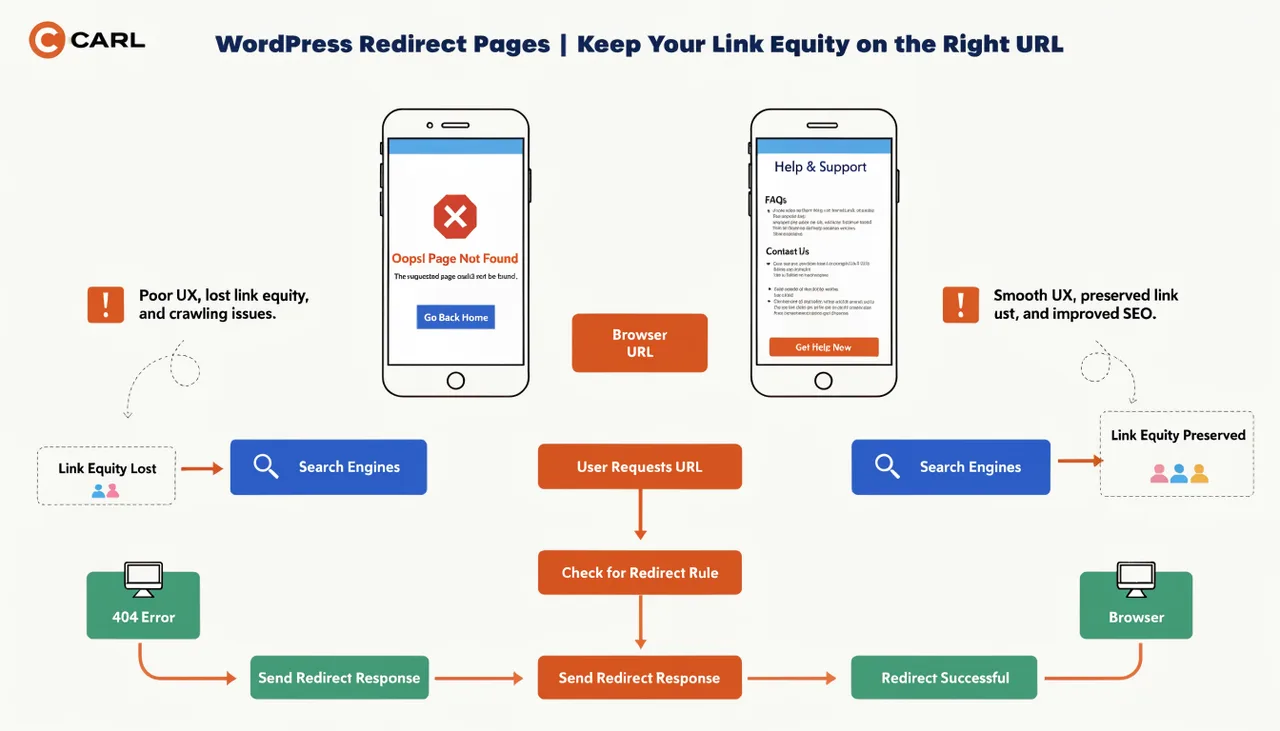
When you switch permalink formats, the old URLs don't die. Google has them indexed, other sites have linked to them, and they sit in crawl queues for months. WordPress creates 301 redirects from the old format to the new one, which sounds correct, but every 301 hop costs crawl budget and passes slightly less link equity than a direct link.
If you've changed your permalink structure more than once (and most sites have), you've got chains. /?p=123 redirects to /old-slug/ which redirects to /new-slug/. Googlebot follows the chain, notes the hops, and moves on. Your equity arrived at the destination, having bled through 2 handoffs it never needed to make.
And that's before you installed a redirect plugin.
The Plugin Blame Shift
At some point you noticed GSC flagging redirect issues and did what everyone does: you installed Redirection, or turned on Yoast's redirect manager, or RankMath's. Maybe all 3 at different times, because you switched plugins and the old rules didn't migrate cleanly. Now you've got multiple redirect tables running in parallel.
None of them know about each other. None of them check for conflicts before firing. A URL can match a rule in Redirection and a different rule in Yoast simultaneously, and the one that wins depends on plugin load order, which changes every time you update, deactivate, or reorder plugins. You didn't create a redirect loop intentionally. You created 3 separate systems that each think they're in charge, and occasionally they disagree.
What Your GSC Coverage Report Is Actually Telling You
Open your Coverage report and look for "Page with redirect." Those aren't just informational. They're URLs Google found, followed, and decided not to index at that location because they ended up somewhere else. Every one of those is a URL that's been linked to, possibly bookmarked, possibly sitting in an external site's anchor text, sending signal to a page that redirects rather than resolves.
Look at the dates. Some of those anomalies will be months old. Google found them, logged them, came back, found them still redirecting, and moved on. Your crawl budget (the finite number of pages Googlebot will process on your site in a given period) is being spent on dead ends. On a young site trying to build authority, that's real pages sitting in the queue while Googlebot follows chains instead.
The standard advice is to audit with Screaming Frog, flatten your chains into single hops, and remove conflicting rules. That advice is correct. It's also a half-day job that needs to be repeated every time you install a new plugin, change a slug, or let someone else touch your WordPress admin.
What CARL Does.
CARL doesn't have a redirect layer. When you create a page, you specify the exact path (/wordpress/issues/wordpress-redirect-pages) and CARL writes the PHP file there. That's the URL. There's nothing to redirect from because there's no alternative version that ever existed.
If you change a slug, CARL generates the file at the new path. The old file is gone. You add a single redirect manually if you need one. 1 rule, 1 hop, done. There's no accumulating table of rules quietly building up behind your content over years of site changes.
Your URLs are clean because there's no mechanism for them to become anything else.
Ready to build a site that can't be taken down by a student's plugin?