How CARL's Feedback System Works
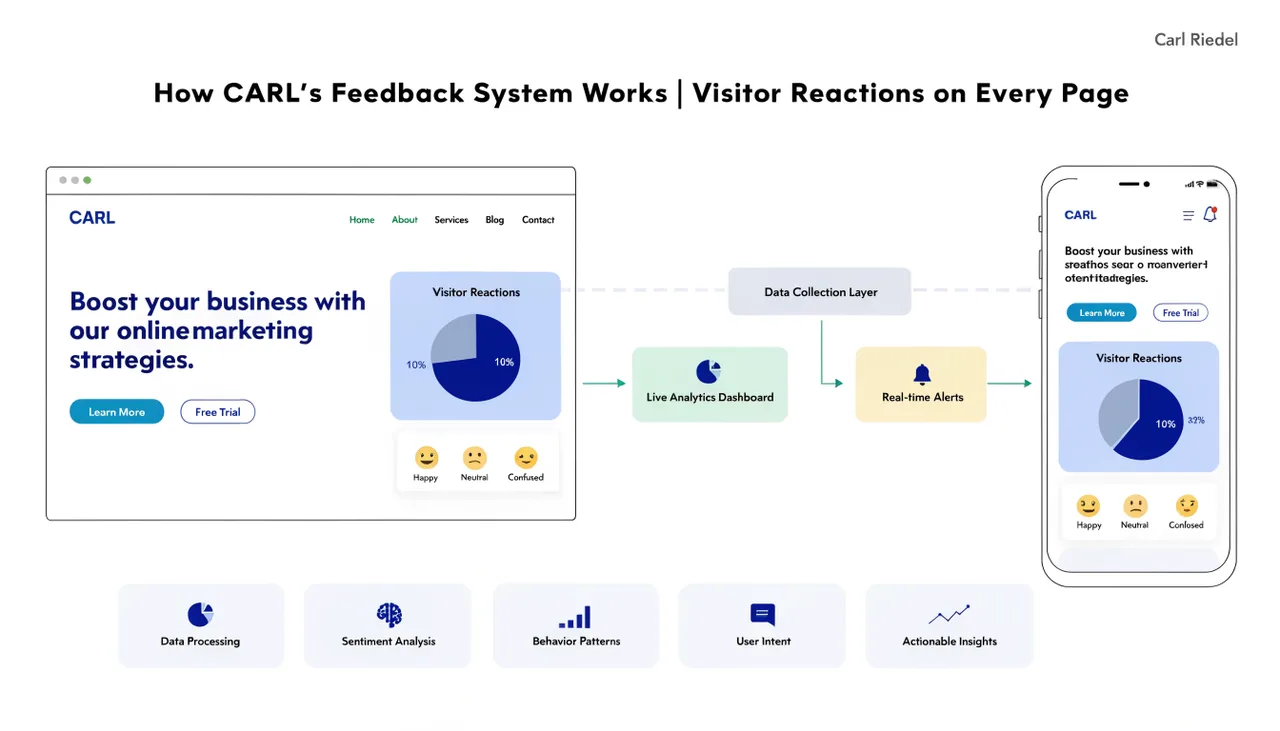
CARL's feedback system adds a reaction widget to your published pages. Visitors can respond to your content with one of 5 reactions: upvote, funny, love, angry, or sad. The counts are visible on the page in real time, and the results are collected in your admin panel so you can see how your content is landing.
How the Widget Works
The feedback widget is included on pages via CARL's include file system. When a visitor clicks a reaction, the vote is submitted to the server and the count updates on the page immediately without a reload. If a visitor clicks the same reaction again, the vote is removed. If they click a different reaction, their vote changes to the new one. Each visitor can hold one active reaction per page at any time.
The system records which reaction each visitor left on each page, so when they return, their previous reaction is highlighted. The widget shows them where they stand without requiring an account or login.
Spam Protection
Votes are rate-limited per IP address in an hourly window. If the same IP submits an unusually high number of reactions within an hour, further votes from that address are blocked until the window resets. This keeps the counts meaningful without requiring captchas or friction for genuine visitors.
The Feedback Dashboard
In the CARL admin panel, go to Tools and then Feedback. The dashboard shows a summary of total votes across your site broken down by reaction type, a chart of vote activity over the last 30 days, and a ranked list of your most-reacted pages. Each page in the list shows its individual reaction breakdown, so you can see not just which pages got the most engagement but what kind of engagement they received.
From the dashboard, you can also reset votes for any individual page and export the full vote dataset. The export is useful if you want to analyze reaction data outside the admin panel or keep a record before clearing old data.
Adding the Widget to Your Pages
The feedback widget is automatically included in CARL's default templates. If you've built a custom template and want the widget on those pages, add the feedback include call to your template file. Any page using a template that includes the widget will display reactions. Pages on templates without it won't, which gives you control over where feedback appears without needing to configure it page by page.