How to Cloak Affiliate Links in CARL
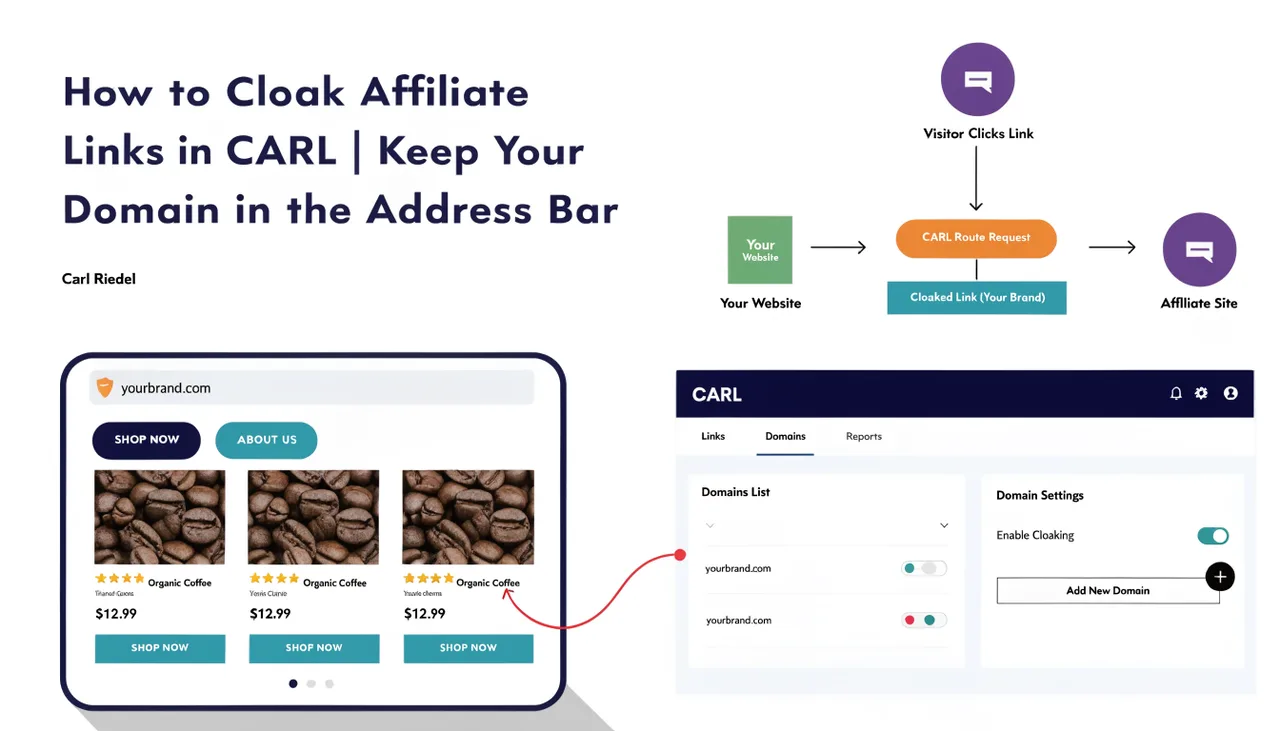
Link cloaking keeps your domain in the visitor's browser address bar when they click an affiliate link. Instead of the visitor seeing the affiliate network's URL, they stay on your domain throughout the visit. CARL offers two cloaking methods: iframe cloaking and JavaScript cloaking.
Why Cloak Affiliate Links
Cloaked links look cleaner and more trustworthy to visitors. A URL like yoursite.com/go.php?code=abc123 reads better than a raw affiliate URL with tracking IDs appended. It also protects your affiliate relationships: competitors can't identify which programs you're promoting just by hovering over your links. And because all your links run through your own domain, you keep full control over where they point at any time.
Iframe Cloaking
Iframe cloaking loads the destination page inside a full-screen, borderless iframe. Your domain stays in the address bar for the entire visit. From the visitor's perspective, they've arrived at the destination. From the browser's perspective, they're still on your site.
The iframe method is the default cloaking option in CARL and works well for most affiliate destinations. The one situation where it won't work is when the destination site sends an X-Frame-Options: DENY or X-Frame-Options: SAMEORIGIN header, which instructs browsers to refuse to load the page inside a frame. If you notice a cloaked link displaying a blank page, that's likely the cause. Switch that link to JavaScript cloaking instead.
JavaScript Cloaking
JavaScript cloaking serves a minimal, noindexed page that immediately bounces the visitor to the destination via a client-side redirect. The transition is nearly instant. Search engines see a noindex, nofollow page and don't follow the link, which keeps the affiliate URL out of Google's index. Visitors with JavaScript disabled see a plain fallback link instead.
JavaScript cloaking is the right choice for destinations that block iframes, or for any situation where you want the redirect to be clean and direct rather than frame-based.
301 and 302 Redirects
If you don't need cloaking, CARL also supports standard 301 and 302 redirects. A 301 tells search engines the destination is permanent and passes link equity. A 302 signals a temporary redirect and doesn't pass equity. Neither keeps your domain in the address bar. Use these when you want a clean, short URL that simply redirects rather than a cloaked link.
Setting the Redirect Type
When creating or editing a link in the Link Tracker, select the redirect type from the dropdown. You can change the type on any existing link at any time without affecting its short code or click history. If you're unsure which method to use, start with iframe cloaking and switch to JavaScript cloaking if the destination doesn't load correctly.