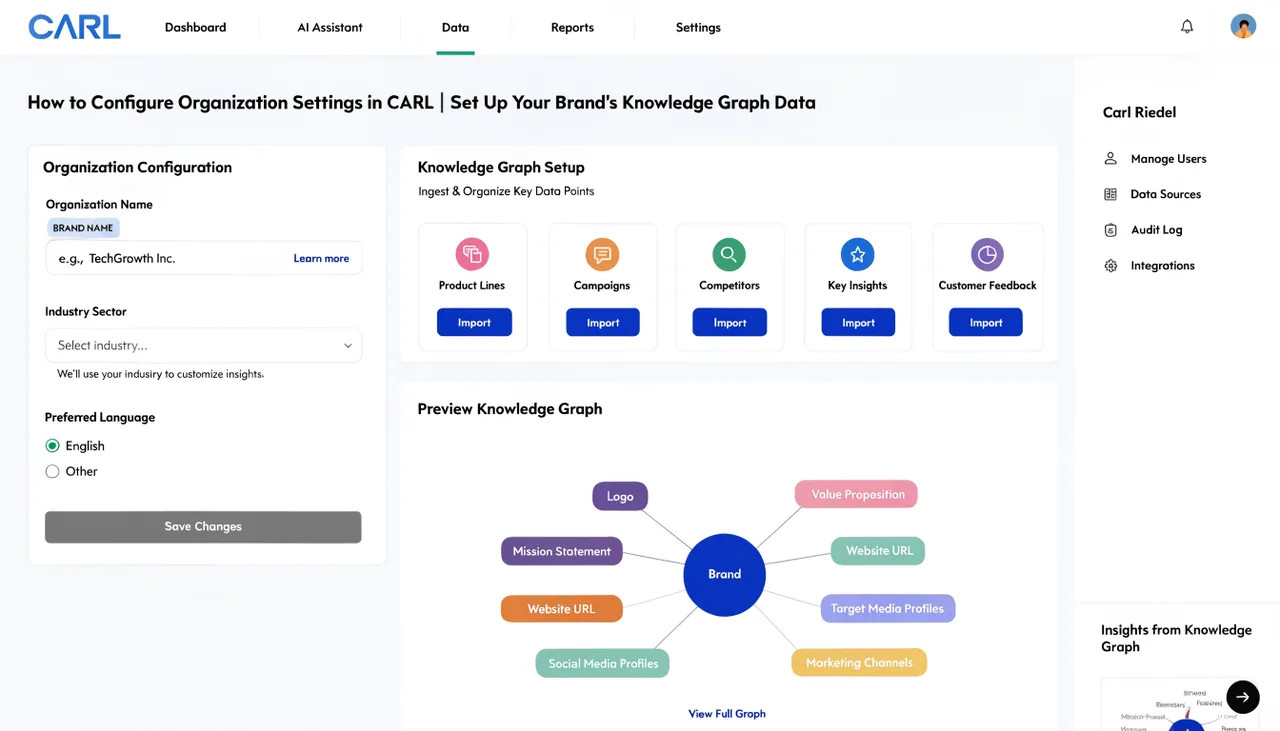
How to Configure Organization Settings in CARL
The Organization tab in CARL's Settings panel powers your site's Organization JSON-LD schema. This is the structured data Google uses to understand your brand: who you are, what you do, where you're based, and how your online presence connects together. Fill it in completely during initial setup. It takes five minutes, and the SEO benefit compounds across every page on your site.
What Organization Schema Does
When Google crawls your site, it reads the Organization schema and uses it to build a knowledge graph entry for your brand. This is what drives the branded search results panel that appears when someone searches for your business by name, the logo that sometimes appears in search results, and the data connections that establish your site as an authoritative source rather than an anonymous collection of pages. It's also what Google uses to verify that the author of your content is a real, identifiable entity.
The Organization Fields
Organization Name is your business or brand name exactly as you want it to appear in search results. Alternate Name is a shorter version or common abbreviation if one exists: "C.A.R.L." alongside "Content Automation Ranking Launchpad", for example. Description is one to two sentences describing what your site or business does. Write it clearly and factually: this is data for Google, not a tagline.
The Email field is your public contact email address. Logo URL is the full URL to your logo image, for example https://yoursite.com/images/logo.png. Upload your logo to CARL's Image Manager first, copy the URL, and paste it here. Google uses this URL to display your logo in branded search results, so make sure the image is at a stable, permanent URL that won't change.
Founder Information
The Founder Name field is your name or the name of the business founder. The Founder LinkedIn URL links the Organization schema to a verified professional profile, which strengthens the entity connection Google can establish between your brand and a real person. If you have a LinkedIn profile, add it. If you don't, you can leave the field blank, but a linked profile adds credibility to the schema.
Address Fields
Fill in your business address: street, city, postcode, and country. The country field takes a two-letter ISO code: US for the United States, GB for the United Kingdom, AU for Australia, NL for the Netherlands, and so on. If you operate as a solo online business without a formal street address, use the city and country where you're based. Google doesn't require a full street address for every business type, but having city and country in place is better than leaving the fields empty.
Saving and Propagating
Click Save All Settings when all fields are filled in. The Organization schema is written into every page CARL generates from this point forward. For pages already published before you completed the Organization settings, run bulk regenerate to push the updated schema across your entire site in one pass. Every page that goes through a regeneration will carry the complete Organization data in its head section.